What is Phishing?
Phishing is an attempt to trick you into revealing sensitive information or giving an attacker access. That access may be used to compromise your account, the organization, or target others.
Where Can Phishing Appear?
Most people are familiar with phishing through email, but it can also appear in Google Calendar invitations, text messages, QR codes, CAPTCHA prompts, and shared Google documents.
How do I Recognize It?
Email phishing
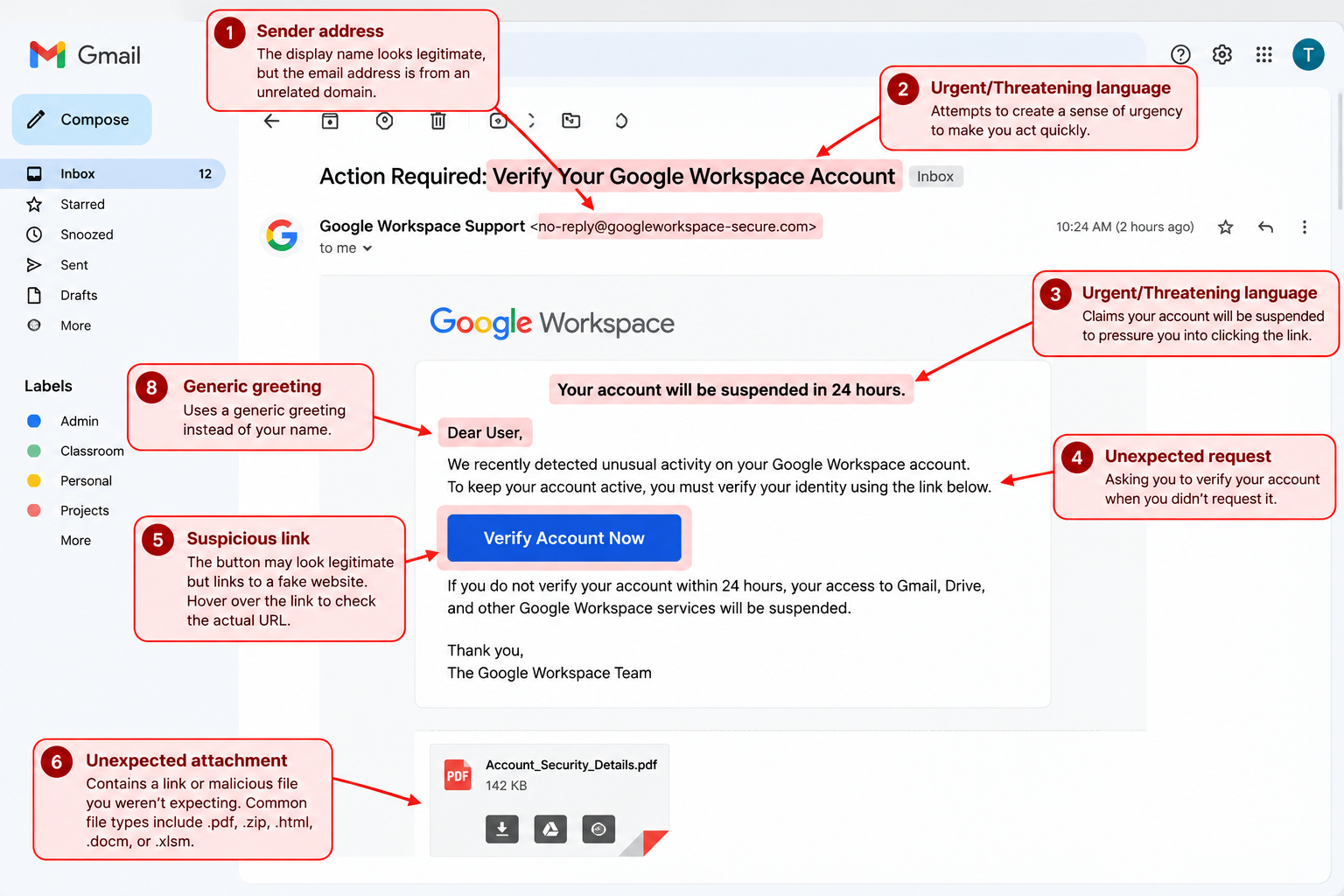
When reviewing an email, verify the sender, consider whether the request is expected, and avoid clicking links or attachments if anything looks suspicious.
Google Calendar Phishing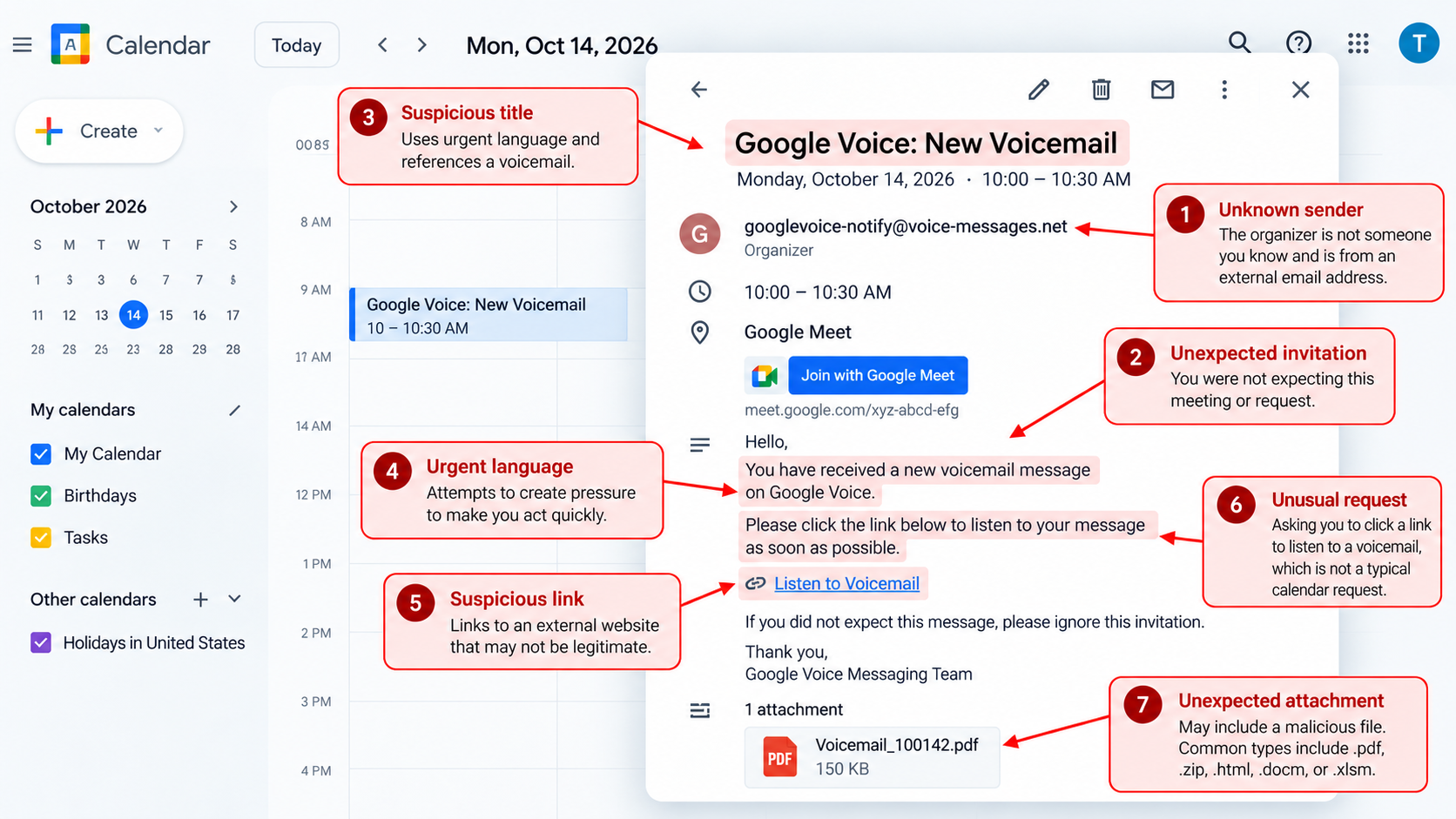
The most important thing to check is where the link actually goes. If a Calendar invitation is unexpected or asks you to click a link to view a voicemail, invoice, or account notice, treat it as suspicious and do not sign in unless the destination is a legitimate Google page.
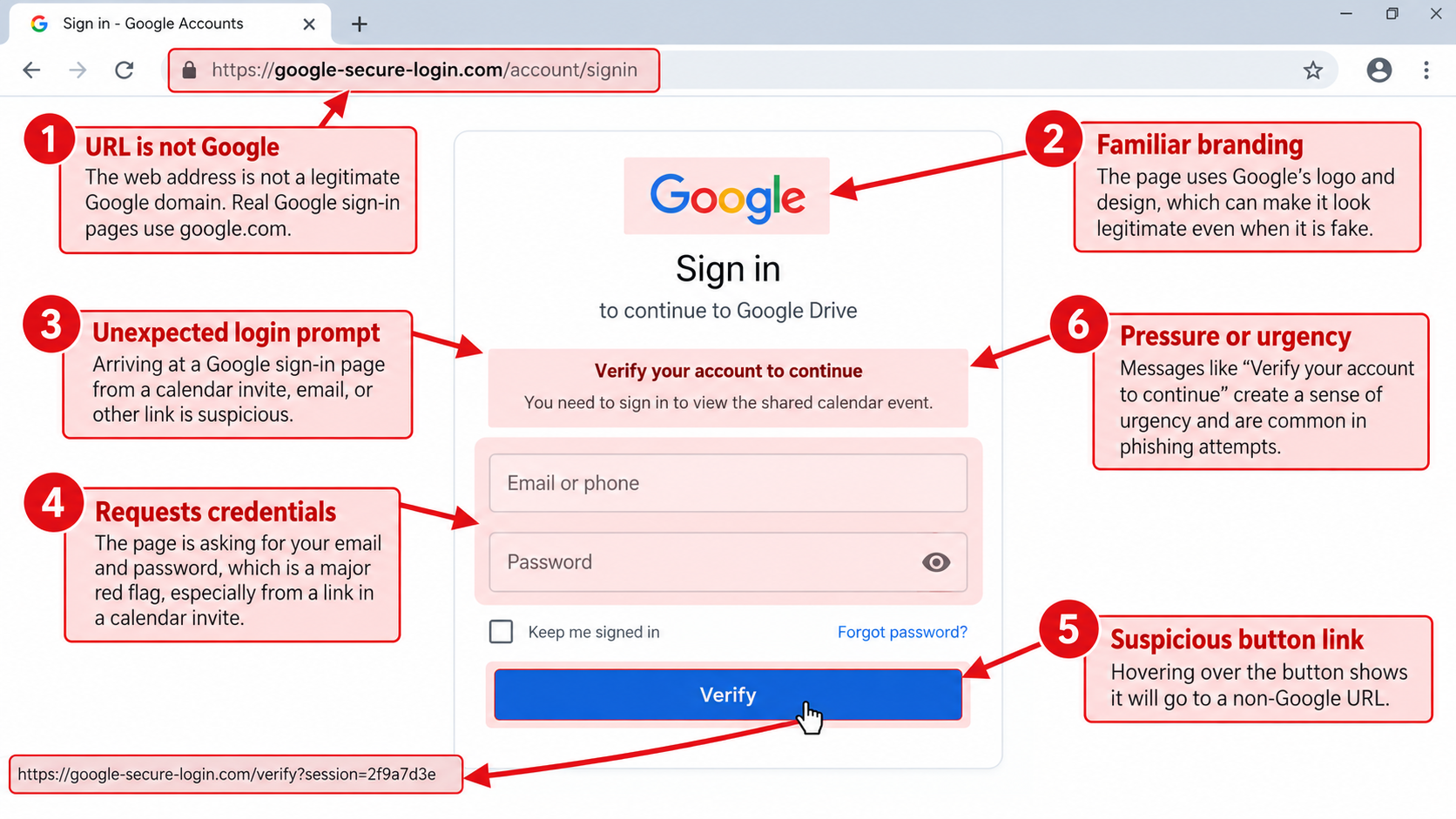
Before entering your credentials, hover over the login or verification button and check the destination URL. If it does not lead to a legitimate Google domain, do not click it or enter your account information.
Google Drive Phishing
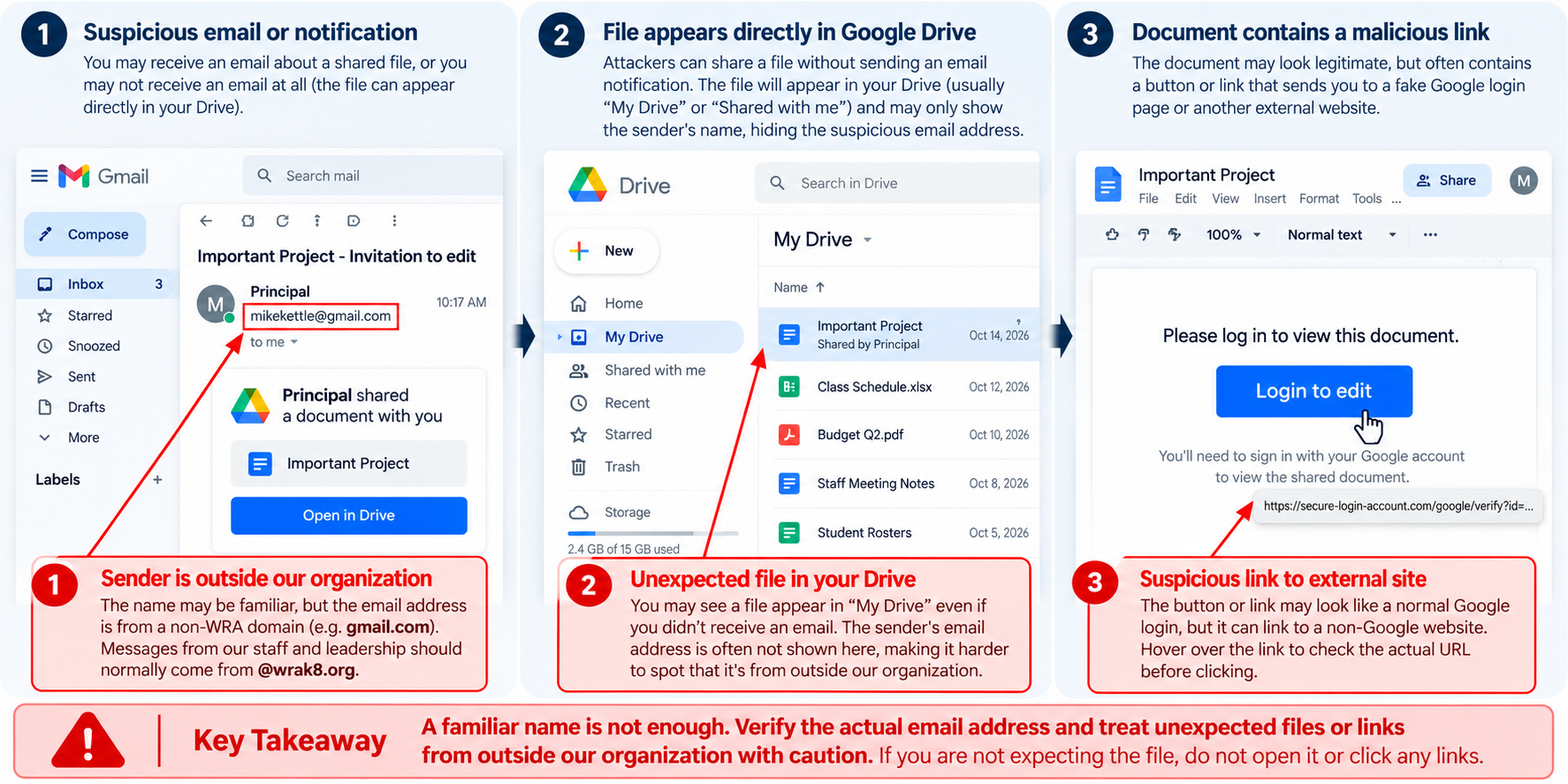
Google Drive can be used as the delivery method for phishing, not just email. Treat unexpected shared files as suspicious until you can verify who sent them and why.
Text Phishing 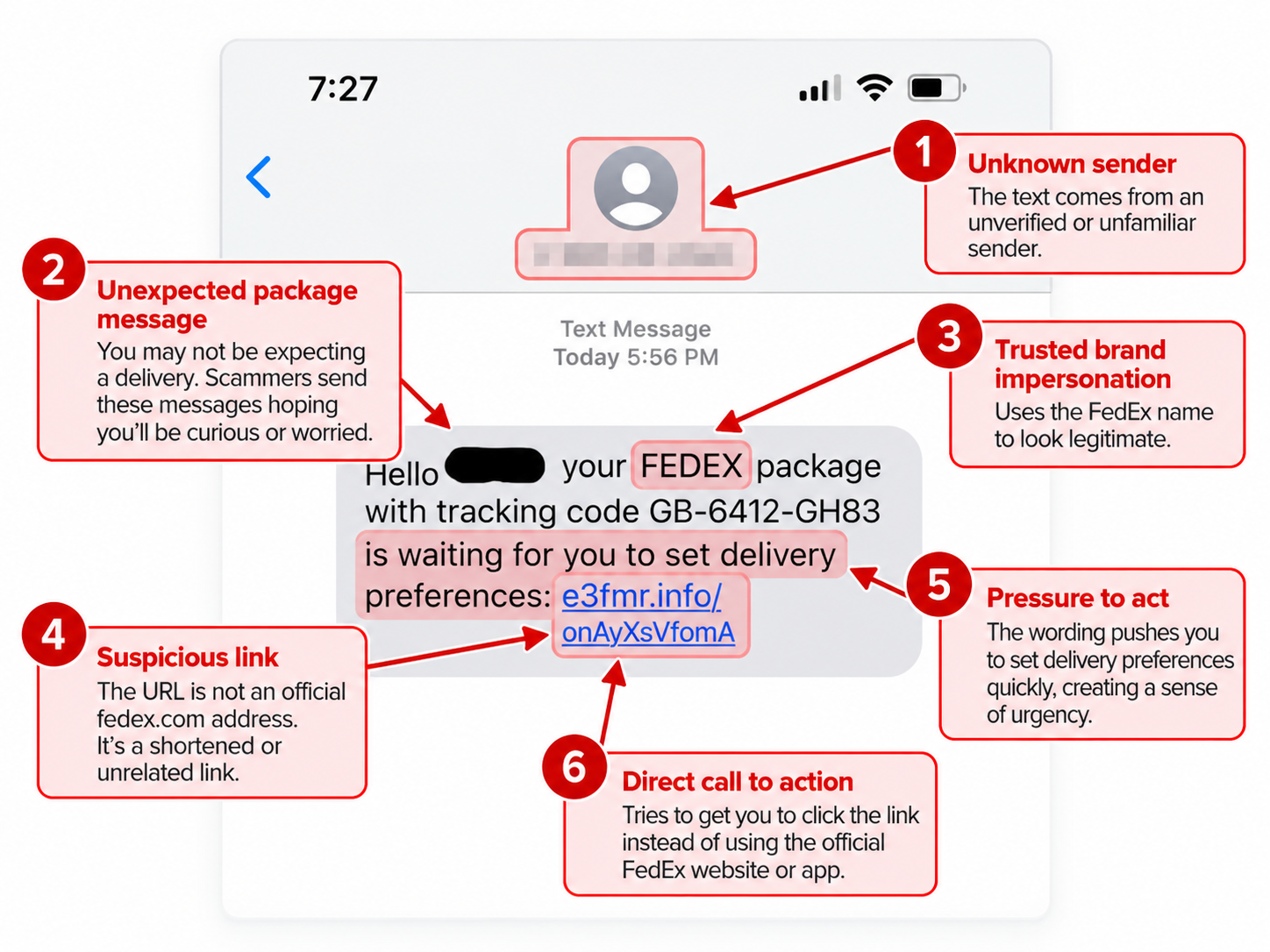
Text message phishing often relies on urgency and familiarity to get you to act before thinking. If the message is unexpected, avoid using the included link and go directly to the company’s official website or app instead.
What to Do if You See Phishing
If you see a phishing attempt, do not click any links, open attachments, or reply to the sender. Verify the request another way. If it appears to come from someone you know, contact them separately and ask if they sent it. If the message links to a familiar platform, go to that platform directly instead of using the provided link and verify the request there. Report the message to Support@wrak8.org and, if it is an email, report it as phishing in Gmail. Delete the message after it has been reported if it has not already been removed. If something looks suspicious, stop and verify it before taking any action.
What to Do if You Give an Attacker Sensitive Information
Phishing is designed to trick you. There is no shame in accidentally falling for it, as long as you take action immediately. If you accidentally give an attacker sensitive information, contact IT right away. If a password was compromised, change it immediately. Tell IT what information was entered or shared and when it happened. If you approved an MFA or sign in request, report that as well. Even if you change your password, you should still contact IT. An attacker may have changed settings, added recovery methods, or created another way back into your account that is not immediately obvious. The faster IT knows, the faster the account can be secured.
Was this article helpful?
That’s Great!
Thank you for your feedback
Sorry! We couldn't be helpful
Thank you for your feedback
Feedback sent
We appreciate your effort and will try to fix the article